
Contact Us
Contact Us
Your Domino Servers Are Going Away.
Your Data Doesn't Have To.
Lotus Notes archiving.
Dcom exports your Domino applications and makes every document, attachment, and view searchable from a browser. Turn off Lotus Notes. Keep everything.

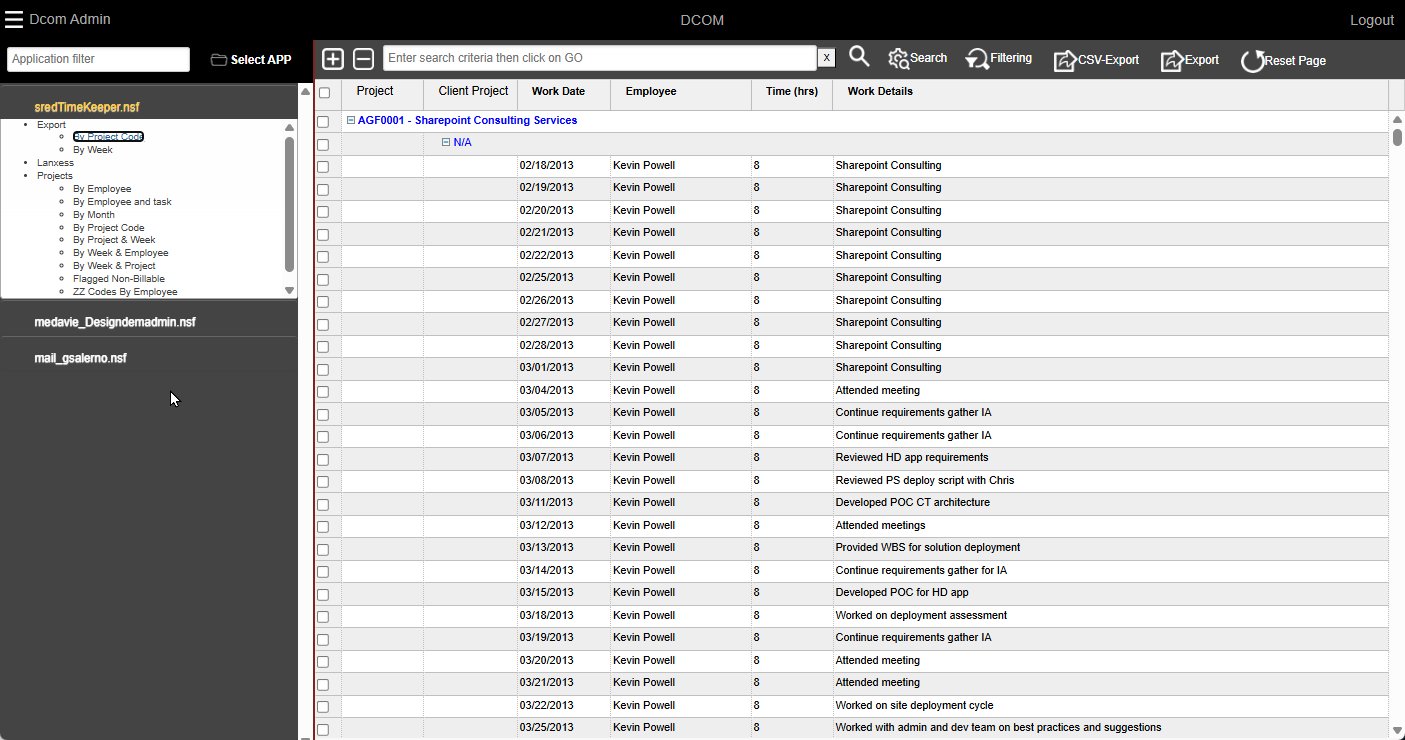
Everything Your Users Need — In a Browser
From workspace navigation to cross-database search to compliance admin , here's what Dcom looks like.
Pick Your Applications
Users add Domino databases to their personal workspace just like the Notes workspace they already know. Browse the catalog, click Add, and your application appears in the sidebar with all its views and folders intact.
Admins control which databases are available. Users see only what they’re authorized to access.
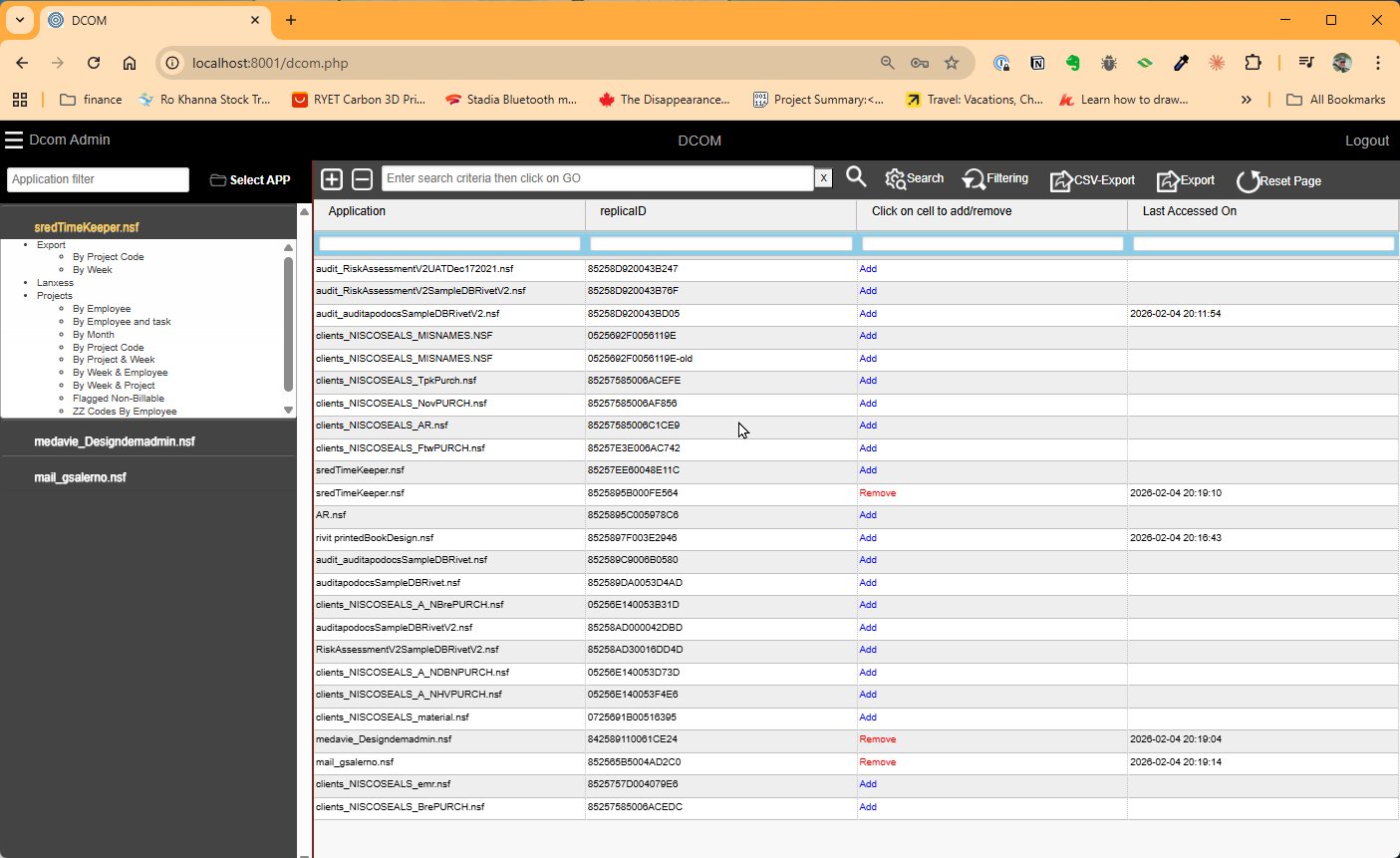 APPLICATION CATALOG
 Every View. Every Category. Preserved.
Your Notes views, folders, and categories work exactly as users remember them. The left sidebar mirrors the original application structure with nested views, categorized entries, all of it.
No retraining. No learning curve. Users find their data exactly where they left it.
NOTES-LIKE NAVIGATION One Search. Every Database.
Search across your entire archived Domino portfolio from a single interface. DCOM indexes every document, every field, and every attachment then lets you search it all at once.
Keyword search with date filters and scope selection. Search the current view, select databases, or all your databases at once. Anyone can use it.
Structured condition builder for compliance and legal teams. Build precise queries with field, operator, and value with no syntax required.
Full Solr query syntax for IT admins and power users. Direct access to the search engine for complex queries and field-specific searches.
Get results in seconds with highlighted matches across Content, Details, Employee Names, and every other indexed field. Cross-field, cross-database results.
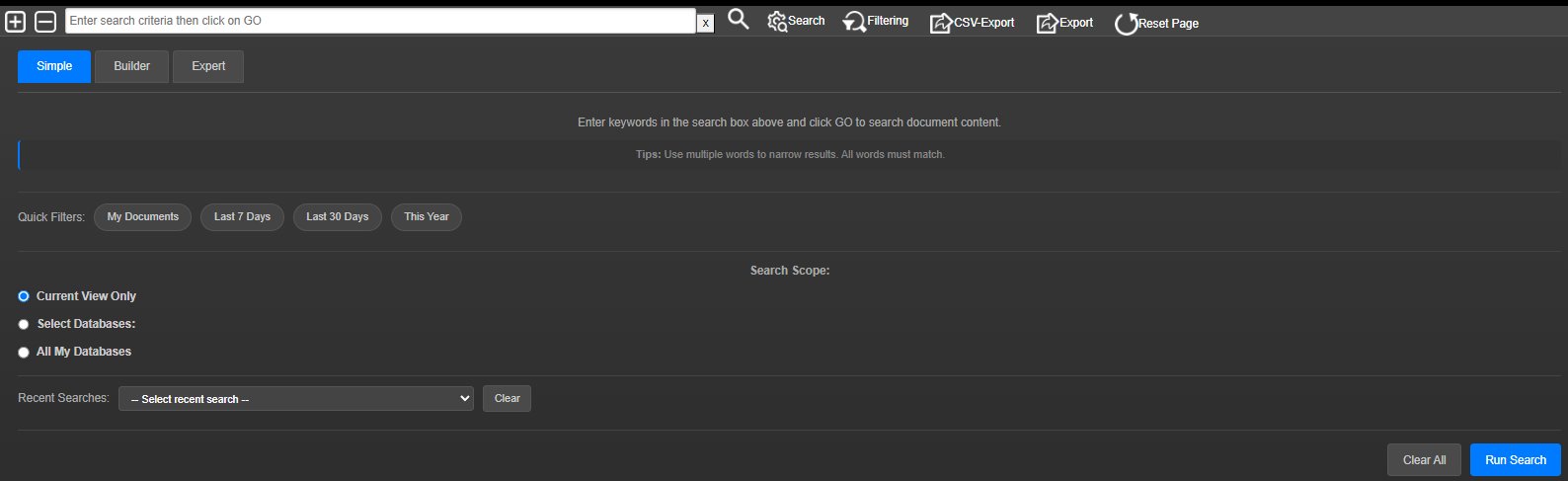 SIMPLE SEARCH
 Every Attachment. Preserved and Searchable.
Open any archived document and see it rendered as a PDF with all attachments listed and accessible. Click any attachment to view or download it directly.
DCOM indexes attachment content too, so you can find documents by what’s inside their attachments, not just metadata.
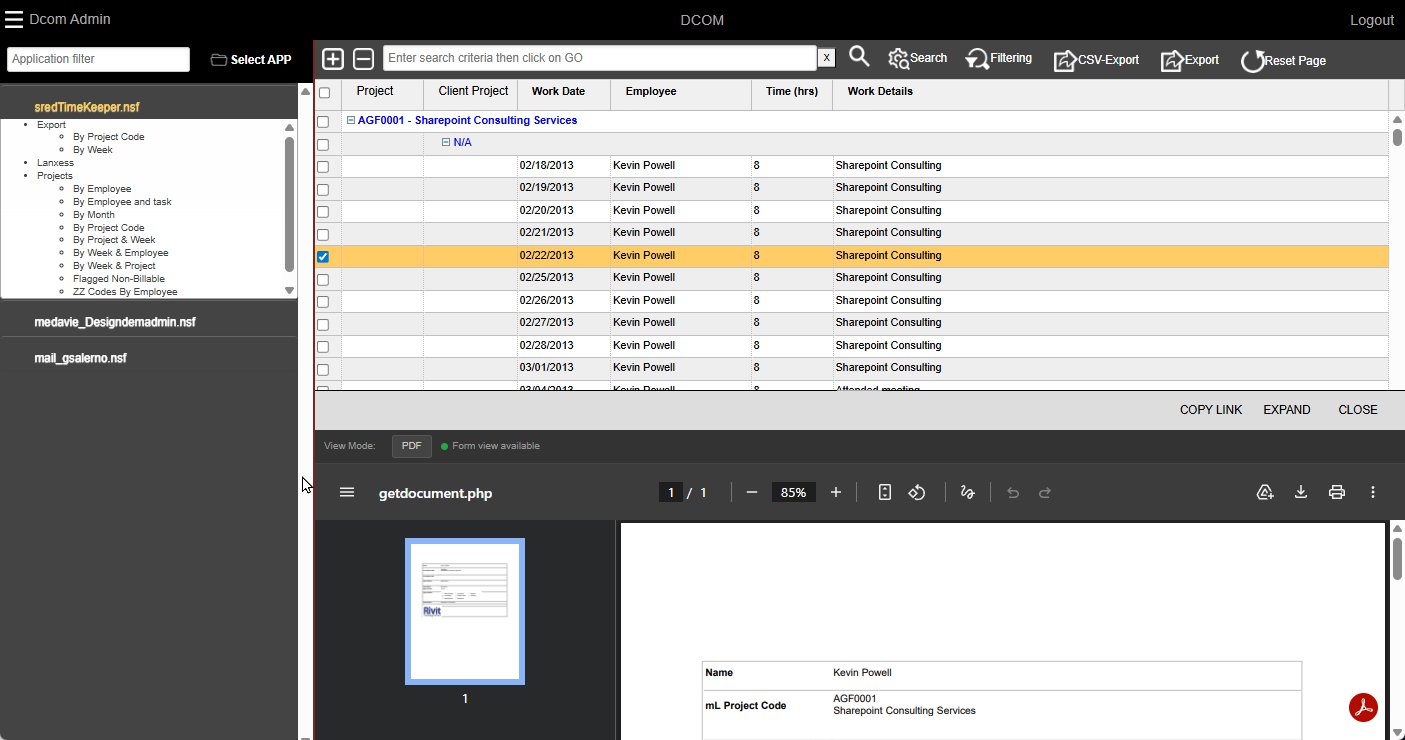 ATTACHMENTS + PDF PREVIEW
 Full Operational Control
Monitor indexing status across every database and see exactly which are current and which need attention. Green means up-to-date; red flags databases with unindexed documents.
Manage retention policies with CSV export/import review workflows. 14 documents approaching deletion? You’ll know and you can review each one before purge.
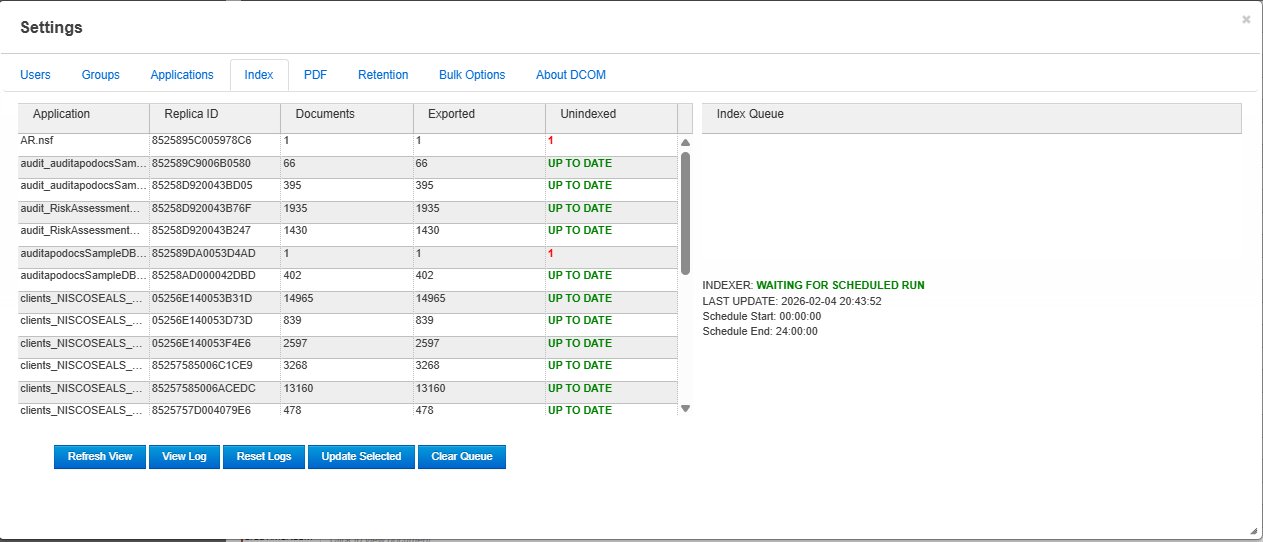 INDEX STATUS
 Two Components. One Complete Solution.
The Export Engine runs temporarily in your Domino environment. The Viewer is a standalone web application. No server modifications required.
Dcom Export Engine
- Documents → PDF (including PDF/A)
- Attachments preserved and converted
- Views, folders, and structure exported
- ACL and security information captured
- ODBC integration (MySQL or MSSQL)
- Scheduled or on-demand operation
DCOM Viewer
- Browser-based — no client install
- Notes-like workspace navigation
- Solr-powered full-text search
- Three search modes (Simple, Builder, Expert)
- LDAP / Active Directory authentication
- Retention management and purge workflows
On-premise or private cloud · Windows Server 2019+ or Linux
PDF Mode or Form Mode
Compliance grade PDF archival or lightweight XML rendering. Use both across your portfolio based on what each database needs.
Use PDF where regulations demand archival-grade records.
Use Form view for email databases where storage efficiency matters.
Built for Enterprise IBM Lotus Notes Archives
Every feature designed for organizations with large Domino portfolios, compliance requirements, and diverse user populations.
Unified Cross-Database Search
Search across your entire archived portfolio from one interface. Every document, every field, every attachment is indexed and searchable. Three modes: Simple for daily use, Builder for compliance, Expert for IT.
Every Attachment Preserved
Documents converted to PDF. Attachments extracted, converted, and indexed. ZIP contents unpacked. Find documents by what's inside their attachments and not just metadata.
Notes-Like Navigation
Workspace, views, folders, and categories transfer intact. Users navigate archived applications exactly as they did in Notes with zero retraining, and zero learning curve.
Security & ACL Mirroring
Your Domino ACLs travel with the data. LDAP/Active Directory authentication with nested group support. Application-level permissions ensure users see exactly what they were authorized to and nothing more. Reader and author fields indexed for document-level security.
Retention & Compliance
Set retention dates per document or in bulk via CSV. Review documents approaching deletion before purge. Export, review, approve, and purge with a complete audit trail for regulatory compliance (SOX, HIPAA, GDPR).
Built for Every Stakeholder
CIO / IT Director
Compliance Officer
Knowledge Worker
Domino Admin
The Technology We Leverage
Export Engine
Any Notes 9.0+ workstation
No server modifications
ODBC to MySQL or MSSQL
Scheduled or on-demand
Dcom Viewer
PHP 8.2+ / Apache
MySQL or MSSQL backend
Windows Server 2019+ or Linux
LDAP / Active Directory
Search Engine
Apache Solr 8.x+ or Elasticsearch 8.9+
Full-text + attachment indexing
Cross-database search
Configurable analyzers
Unlimited Users · Unlimited Archives
Ready to Archive?
Start your IBM Lotus Notes archiving project today with one database. See Dcom export, index, and search your actual Domino data.